

API configuration
This contains the basic set up. Fill in theGr4vy ID, Private Key, and Environment fields based on the environment.
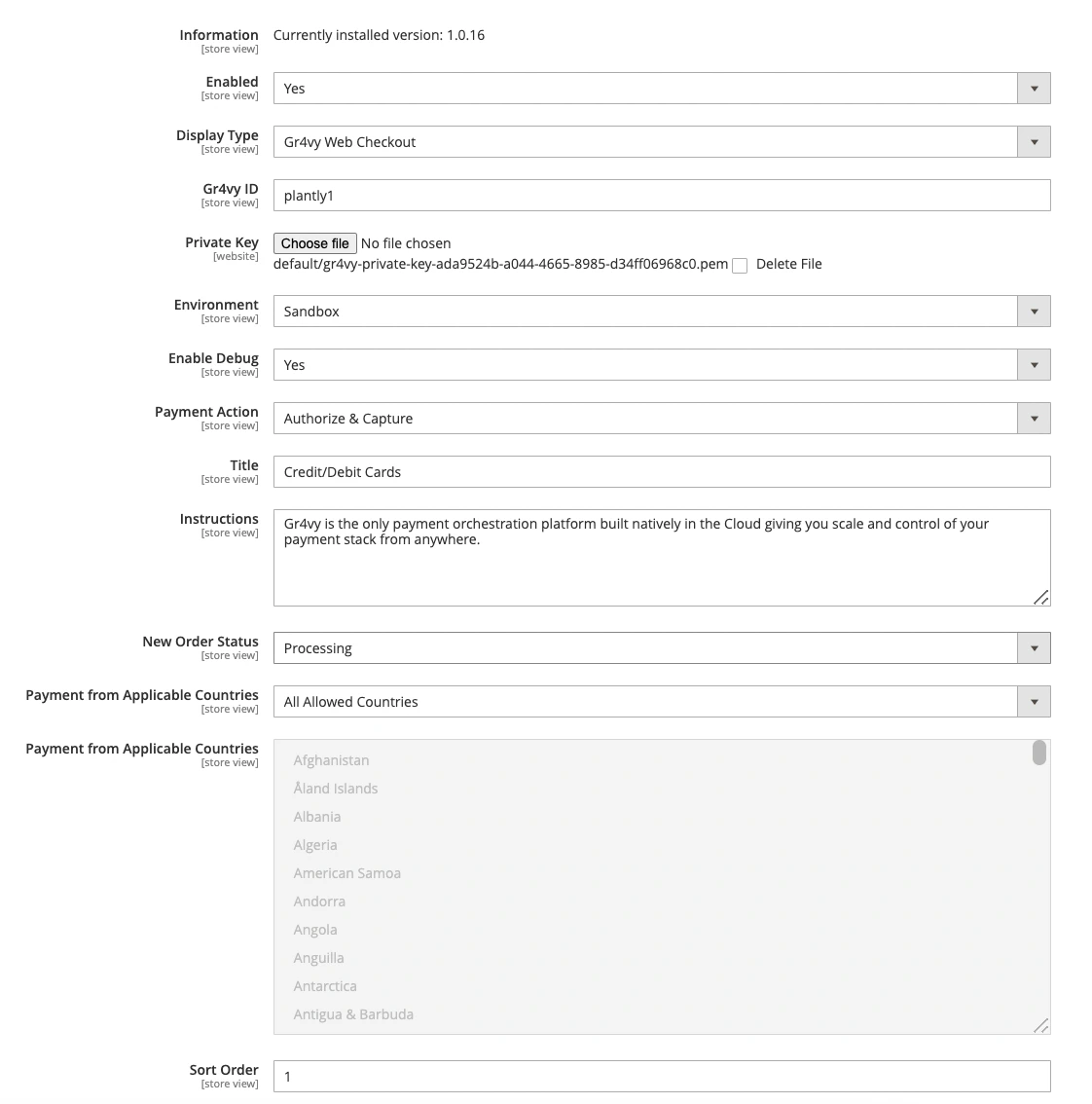
API key
To use Magento, generate a new API key. Head over to the dashboard and visit the Integrations page.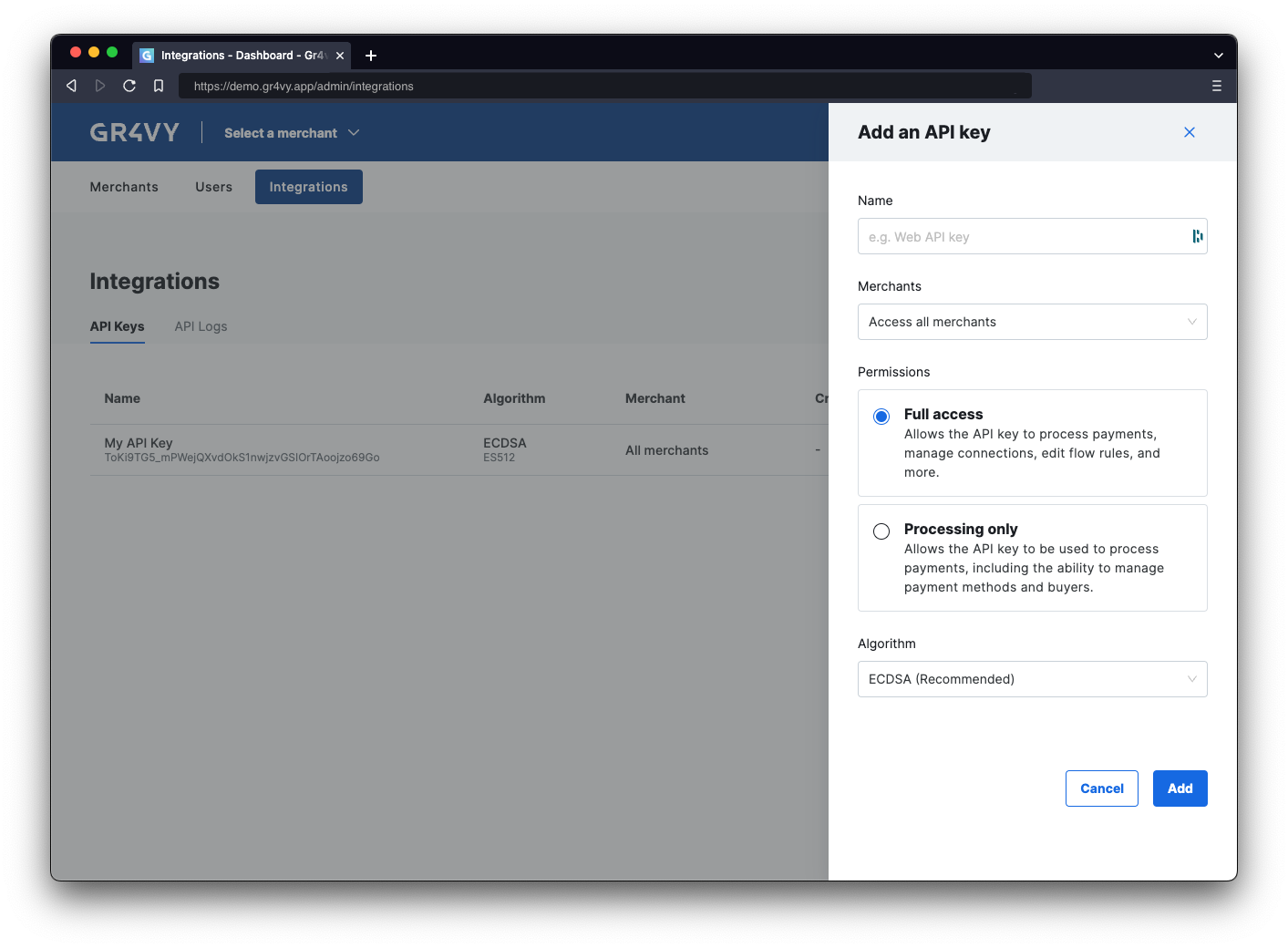
Options
This allows you to further configure the behavior of the plugin.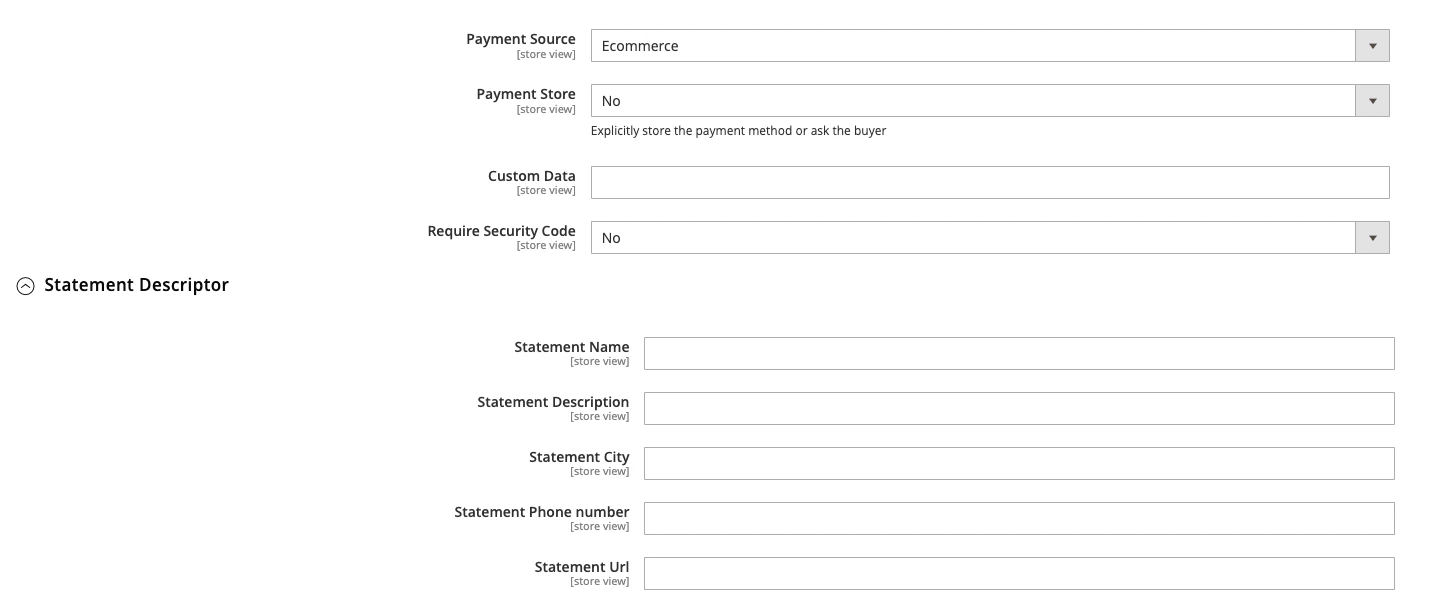
Theming
Control of the theming of the Embed plugin used in Magento. See Embed theming for more details.
Webhook configuration
The plugin supports handling incoming webhooks for asynchronous transaction status updates. To support webhooks you’ll need to setup the Magento Plugin webhook URL{{magento2_url}}/gr4vy/webhook/order.